FreeSections & components
Loading page…
724 words · 85 lines
---

> **Setup requirements before building the section:**
>
> **Google Fonts** -- Load these in `index.html` `<head>`:
> ```html
> <link rel="preconnect" href="https://fonts.googleapis.com" />
> <link rel="preconnect" href="https://fonts.gstatic.com" crossorigin />
> <link href="https://fonts.googleapis.com/css2?family=Anton&family=Condiment&display=swap" rel="stylesheet" />
> ```
>
> **Tailwind config** -- Extend `theme` with these exact custom values:
> ```js
> fontFamily: {
>   grotesk: ['Anton', 'sans-serif'],
>   condiment: ['Condiment', 'cursive'],
> },
> colors: {
>   cream: '#EFF4FF',
>   neon: '#6FFF00',
> }
> ```
> `font-grotesk` maps to **Anton** (a tall, condensed display font). `font-condiment` maps to **Condiment** (a flowing cursive/script font).
>
> **No additional CSS classes or animations are used in this section.** No keyframes, no transitions, no hover states. It is a static layout.
>
> ---
>
> **Build the following section as a React component using Tailwind CSS:**
>
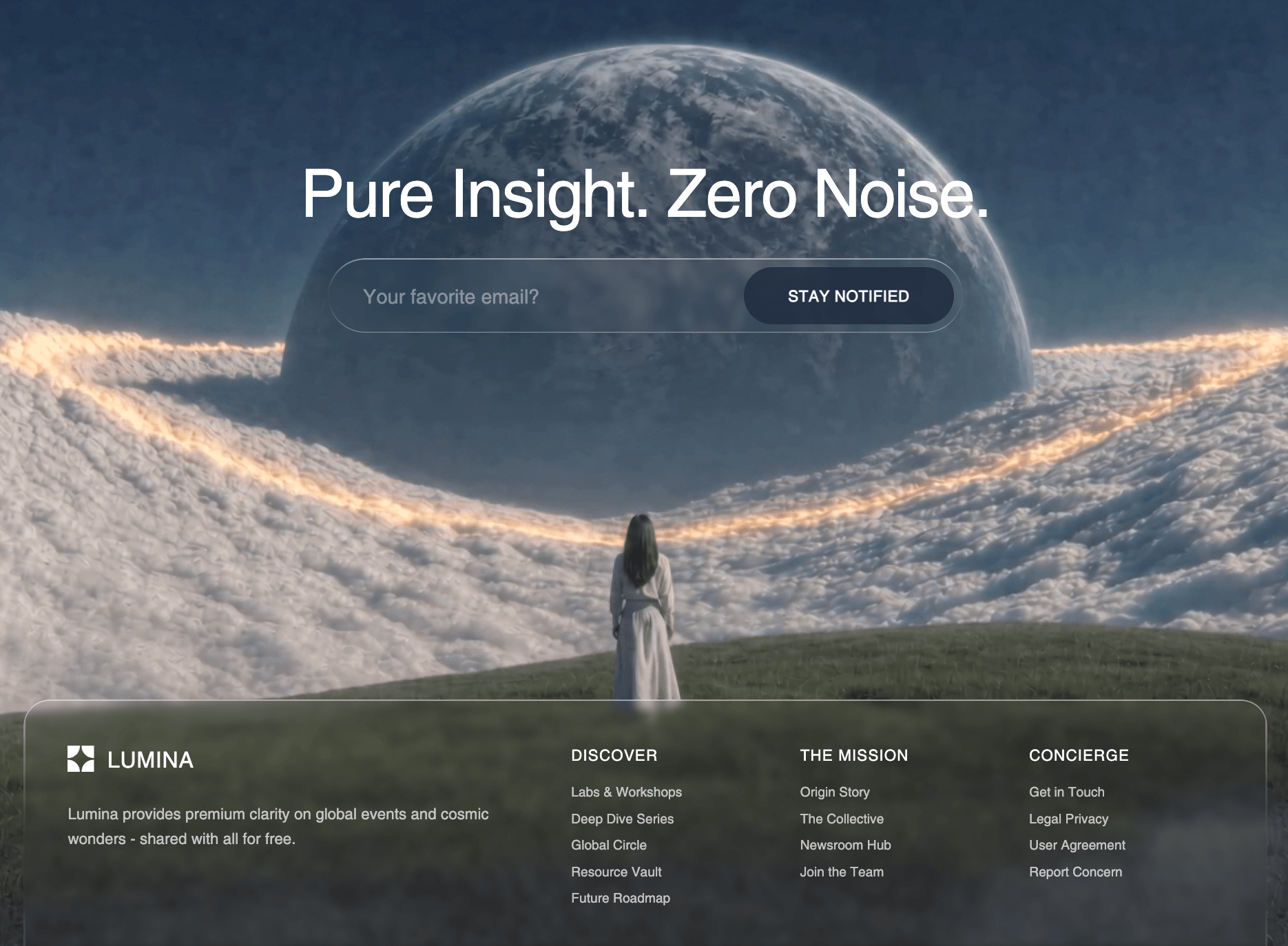
> A `<section>` tag with classes `relative overflow-hidden min-h-screen`. No background color -- the background is a fullscreen video.
>
> **Background video:** An absolutely positioned `<video>` element covering the entire section. Classes: `absolute inset-0 w-full h-full object-cover`. Attributes: `autoPlay`, `loop`, `muted`, `playsInline`. The `<source>` element points to:
> ```
> https://d8j0ntlcm91z4.cloudfront.net/user_38xzZboKViGWJOttwIXH07lWA1P/hf_20260331_151551_992053d1-3d3e-4b8c-abac-45f22158f411.mp4
> ```
> with `type="video/mp4"`.
>
> **Content wrapper:** A `<div>` sitting on top of the video with classes: `relative max-w-[1831px] mx-auto px-4 sm:px-6 md:px-8 py-16 sm:py-20 md:py-24 z-10`.
>
> Inside the content wrapper are **two rows**:
>
> ---
>
> **ROW 1 (top):** A `<div>` with classes `flex flex-col lg:flex-row justify-between items-start gap-8 lg:gap-12 mb-12 sm:mb-16 md:mb-20`. Contains two children:
>
> **Child A -- The heading:** An `<h2>` with classes `font-grotesk text-[32px] sm:text-[48px] md:text-[60px] font-normal uppercase leading-[1.05] sm:leading-[1] md:leading-[1] text-cream relative`. The text content is:
> ```
> Hello!<br />
> I'm orbis
> ```
> (Literally "Hello!" on line 1, "I'm orbis" on line 2, separated by a `<br />`. All rendered uppercase by Tailwind so it displays as "HELLO!" and "I'M ORBIS".)
>
> **Inside the `<h2>`**, after the text, there is an absolutely positioned `<span>` with the word **"Orbis"**. This span has classes: `font-condiment text-[36px] sm:text-[52px] md:text-[68px] font-normal normal-case text-neon mix-blend-exclusion leading-[0.79] tracking-[0.03em] absolute right-[-8px] bottom-[-20px] sm:bottom-[-30px] md:bottom-[-40px] -rotate-1 opacity-90`.
>
> Key details of this span:
> - `normal-case` overrides the parent's uppercase, so it renders as "Orbis" (capital O, lowercase rbis) in the Condiment cursive font.
> - `text-neon` = `#6FFF00` (bright green).
> - `mix-blend-exclusion` makes the green text interact with the video background.
> - `absolute right-[-8px] bottom-[-20px]` (responsive: `sm:bottom-[-30px] md:bottom-[-40px]`) positions it hanging below and slightly right of the parent heading, overlapping the word "orbis" above it.
> - `-rotate-1` gives it a slight counter-clockwise tilt (-1 degree).
> - `leading-[0.79]` is a very tight line-height. `tracking-[0.03em]` adds subtle letter spacing.
> - `opacity-90` makes it 90% opaque.
>
> **Child B -- The paragraph:** A `<p>` with classes `font-mono text-[14px] sm:text-[15px] md:text-[16px] uppercase text-cream max-w-[266px] leading-relaxed`. The text is:
> > "A digital object fixed beyond time and place. An exploration of distance, form, and silence in space"
>
> (`font-mono` uses the browser's default monospace font. `leading-relaxed` = 1.625 line-height.)
>
> ---
>
> **ROW 2 (bottom):** A `<div>` with classes `flex justify-between items-start`. Contains two children:
>
> **Child A -- Left text column** (always visible): A `<div>` with classes `flex flex-col gap-5 max-w-[335px]`. Contains **two identical `<p>` tags**, each with classes `font-mono text-[14px] sm:text-[15px] md:text-[16px] uppercase lg:text-cream text-[#010828] opacity-10 leading-relaxed`. Both contain the same text:
> > "A digital object fixed beyond time and place. An exploration of distance, form, and silence in space"
>
> Key detail: The color is `text-[#010828]` (near-invisible dark navy matching the page background) by default, switching to `lg:text-cream` (`#EFF4FF`) on large screens. Combined with `opacity-10`, this text is extremely faint/ghostly -- almost invisible, serving as a subtle texture element rather than readable content.
>
> **Child B -- Right text column** (desktop only): A `<div>` with classes `hidden lg:flex flex-col gap-5 max-w-[335px]`. Contains **two identical `<p>` tags** with the exact same classes and text as Child A. This column is hidden on mobile/tablet and only appears on `lg:` (1024px+) screens.
>
> ---
>
> **There are no animations, transitions, hover effects, scroll effects, or JavaScript interactions in this section.** It is purely a static layout with a looping background video. The only "motion" comes from the autoplaying video itself.

---