
FreeHero sections
468 words · 44 lines
Build a React landing page exactly as specified below. Use React 19, Tailwind CSS v4, and motion/react for animations.
1. Fonts & Global CSS Setup:
In index.html, import these Google Fonts:
Instrument Serif (weights 400, italic 400)
Inter (weights 100 to 900)
In src/index.css, import this custom font for the Nokia text:
@import url('https://db.onlinewebfonts.com/c/440b53b1a1c65037f944ff19259d8014?family=Nokia+Cellphone+FC+Small');
Configure the Tailwind theme variables in index.css:
--font-instrument: "Instrument Serif", serif;
--font-serif: "Instrument Serif", serif;
--font-sans: "Inter", sans-serif;
--font-nokia: "Nokia Cellphone FC Small", monospace;
Create a @utility font-instrument { font-family: "Instrument Serif", serif; }
Set the root font-family to var(--font-sans) and apply anti-aliasing.
2. Component Structure:
Create one main App.tsx file containing 4 components: TypingMessages, Navbar, Hero, and App.
3. Navbar Component:
Container: Fixed to the top top-6, centered horizontally left-1/2 -translate-x-1/2, width 95% w-[95%] max-w-5xl. z-50, pointer-events-none.
Nav Tag: pointer-events-auto, backdrop blur, rounded full pill shape, transparent background with border border-black/10. Flex between items.
Logo: Text "dot." using font-instrument text-[28px] tracking-tight text-[#1a1a1a].
Links: "Philosophy", "Trust", "Access", "Tribe". Hidden on mobile, flex on desktop (gap-10). font-sans text-[14px] text-[#1a1a1a] with hover opacity fading.
CTA Button ("Link up"):
Background #0871E7, rounded full, white text font-sans text-[14px].
Shadow: shadow-[inset_0_-4px_4px_rgba(255,255,255,0.39)] outline-1 outline-[#0871E7] -outline-offset-1.
Add a subtle top glint effect using an absolutely positioned rectangle inside the button: w-[80%] h-4 left-[10%] top-[1px] bg-gradient-to-b from-[#DEF0FC] to-transparent rounded-[12px]. Make it scale wider on group hover (group-hover:scale-x-105).
4. Hero Component:
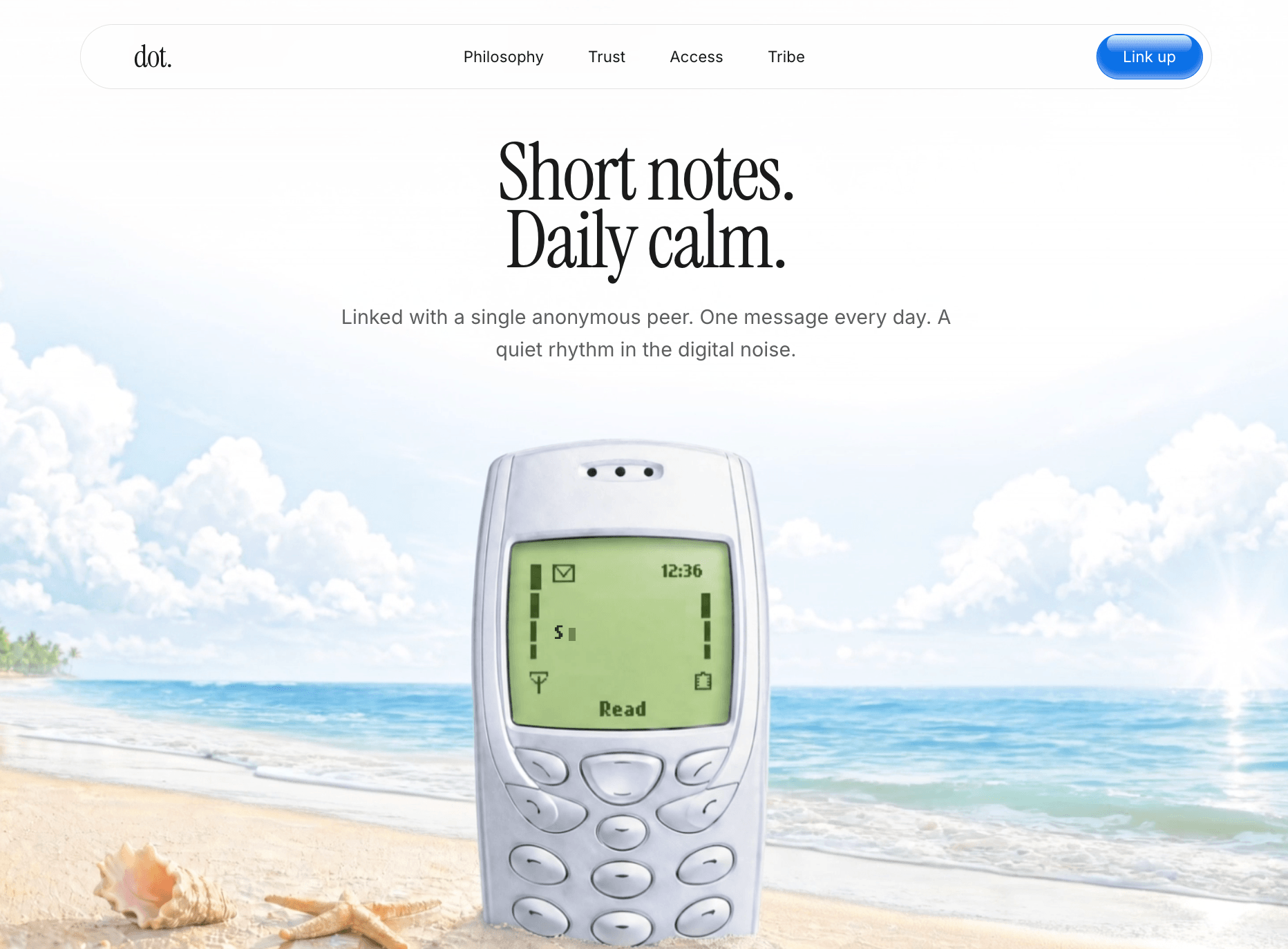
Container: min-h-screen bg-[#F3F4ED] pt-24 md:pt-32 flex column centered.
Video Background: Absolute positioning inset-0 z-0. Use an HTML5 <video> set to autoplay, loop, muted, playsInline, scaling with object-cover.
Video Source: EXACTLY https://d8j0ntlcm91z4.cloudfront.net/user_38xzZboKViGWJOttwIXH07lWA1P/hf_20260427_054418_a6d194f0-ac86-4df9-abe5-ded73e596d7c.mp4. Add an overlaid empty div with bg-white/5 for a slight tint.
Hero Text Container: Relative z-20, pointer-events-none, text-centered layout.
Main Headline: "Short notes. <br /> Daily calm."
Animate using motion.div (from opacity: 0, scale: 0.95 to opacity: 1, scale: 1 over 1.5s with ease [0.16, 1, 0.3, 1]).
Style: font-instrument text-[38px] md:text-[56px] lg:text-[72px] leading-[0.85] tracking-tight text-[#1a1a1a] mb-6.
Sub-headline: "Linked with a single anonymous peer. One message every day. A quiet rhythm in the digital noise."
Animate using motion.div (from opacity: 0, y: 20 to opacity: 1, y: 0 over 1.2s, delay: 0.3, ease [0.16, 1, 0.3, 1]).
Style: font-sans text-[16px] md:text-[18px] text-[#1a1a1a]/70 leading-relaxed font-normal max-w-xl mx-auto.
Include the TypingMessages component inside the hero to overlap on the phone screen in the video.
5. TypingMessages Component:
Logic: Cycle through an array of messages: ["Are you here?", "Yes, I am.", "Speak soon."].
Typing speed: 100ms. Deleting speed: 50ms. Pause before deleting: 2000ms.
Positioning: Absolute position it to sit perfectly on the phone screen inside the video:
absolute left-[48.5%] md:left-[47.5%] lg:left-[48.5%] -translate-x-1/2 bottom-[32%] z-30 w-[110px] sm:w-[130px] flex justify-start text-left.
Text Style: font-nokia text-[#2A3616] text-[10px] sm:text-[14px] leading-tight break-words min-h-[1.5em].
Cursor: Add a blinking Framer Motion cursor motion.span (w-1.5 h-3 bg-[#2A3616] ml-1 align-middle) animating opacity from 0 to 1 to 0 over 0.8s, repeating infinitely, linearly.
